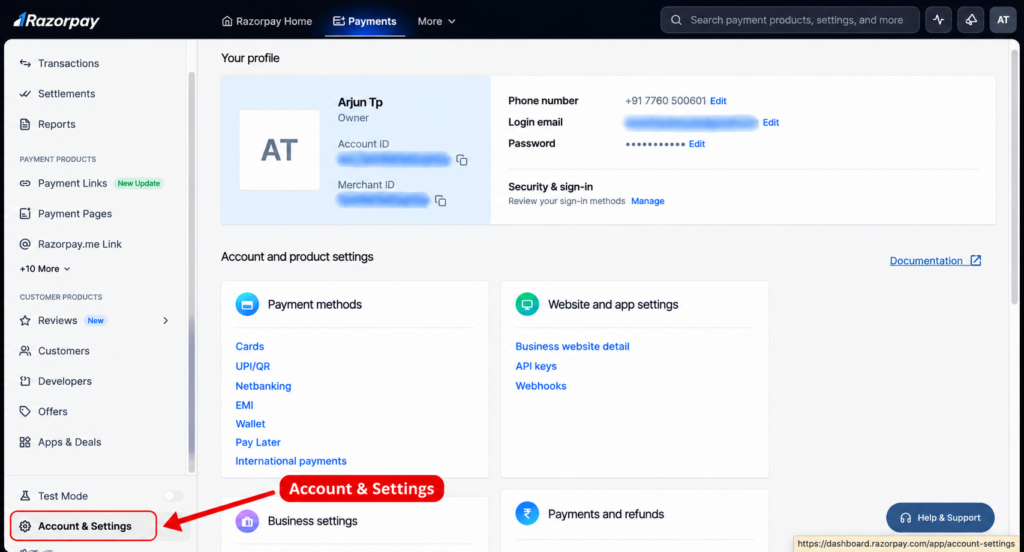
On Login to the Razorpay Dashboard
Step 1: Open Account & Settings.
1. Log in to Razorpay
Open Razorpay and sign in to your account.
2. Find Website and app settings → API Keys.
The dashboard may look slightly different depending on your account and interface version. Razorpay’s current documentation confirms this API-key path.
3. Copy the Keys and send
Never share your Key Secret publicly or paste it into a public page, chat, or frontend code.